What is CloudDrive?
- CloudDrive is a comprehensive cloud storage management platform designed to seamlessly integrate multiple cloud storage services into one interface.
- With CloudDrive, you can easily manage and access all cloud storage services without having to switch back and forth between different applications and interfaces.
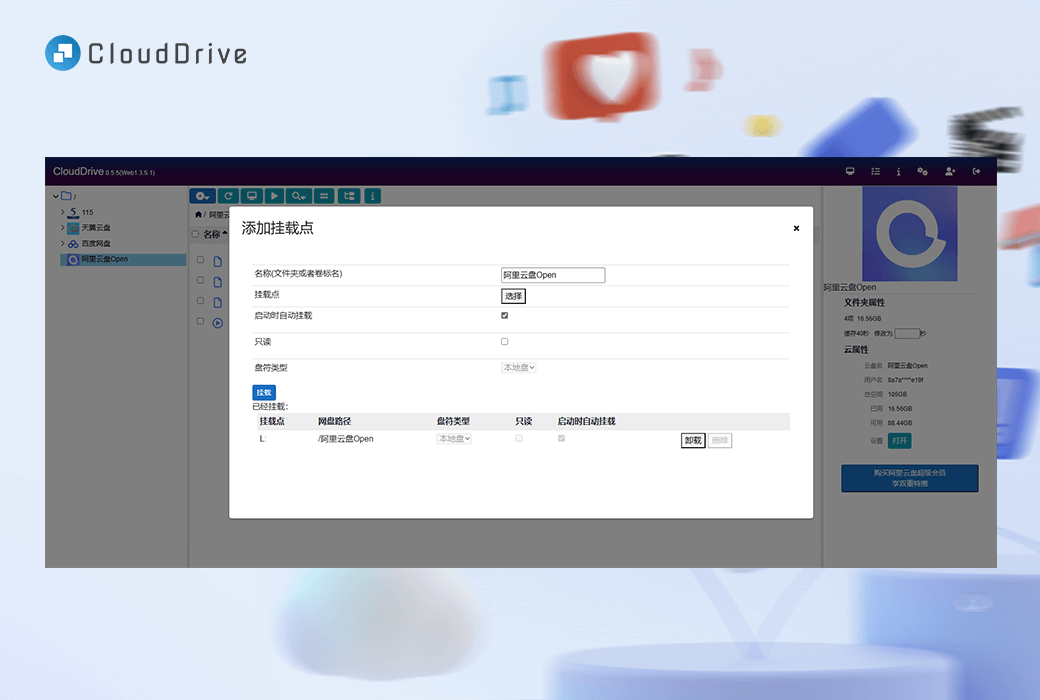
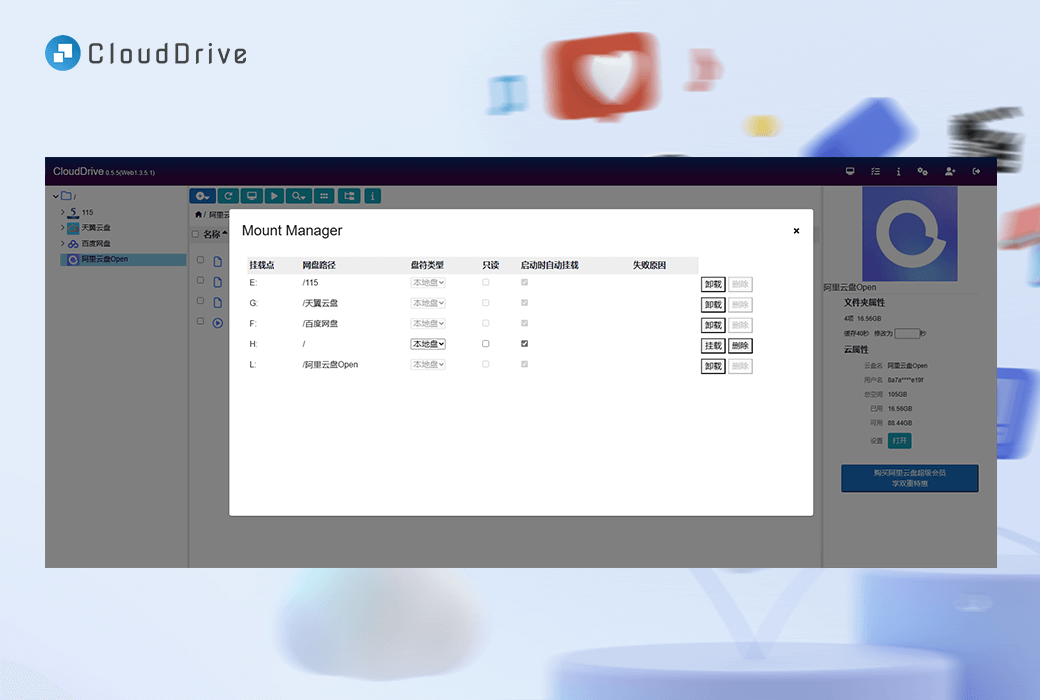
- The most striking feature of CloudDrive is its ability to mount multiple cloud storage services as local disks, allowing direct access to files without the need for pre downloading. Imagine that you can use cloud storage services as part of your local file system, and the convenience it brings is self-evident.
- But that's not all - CloudDrive also offers advanced features such as fast cloud file transfer, real-time cloud file notifications, and application level permission control. Whether you are an advanced user or a regular cloud storage user, CloudDrive can fully unleash the potential of cloud storage resources with excellent efficiency and ease of use.
Main characteristics
- Cloud disk local mounting
Mount multiple cloud disks to local drives as if they were part of the computer's file system. Say goodbye to the trouble of downloading files from the cloud.
- Unified multi cloud disk management
Manage all cloud storage accounts in one place. Easily organize files, synchronize folders, and perform advanced searches across different cloud services. Currently supported123 Cloud Drive, Alibaba Cloud Drive, Baidu Cloud Drive, Tianyi Cloud Drive, 115 Cloud Drive, Google Drive, PikPak, WebMAV Server, OneDrive, Thunder Cloud Drive, and local folders.
- Login once, use everywhere
Log in to all cloud storage accounts in one place and use them on any device without having to log in to different accounts every time.
The cloud disk account synchronization mechanism is secure.
- WebDAV service
CloudDrive, as a WebDAV server, can provide WebDAV services to other WebDAV clients.
- Quickly copy files across cloud disksPro
Quickly and directly transfer files between cloud drives without the need for intermediate downloads. Save time and bandwidth through CloudDrive's optimized file transfer feature.
- Document Change Notice
Receive real-time notifications about changes to cloud files. Seamless integration with file system monitor applications for seamless collaboration.
- Application level permission control
Fine control file access permissions. Define and manage access permissions at the program level to ensure secure sharing and collaboration.
- Hello, cloud storage service provider
Use CloudDrive instead of being a cloud storage vampire.
We ensure a smooth user experience while minimizing the resource consumption of cloud storage operators.
- Multi cloud disk backup (upcoming)
Backup local disks to multiple cloud disks simultaneously. Automatically detect file changes and perform incremental backups. Multi cloud backup, worry free data.
- Run on any device
Computers: Windows, Linux, macOS
NAS:Synology, QNAP...
TV phones: Android, LibreElec, CoreElec
Router: OpenWRT Router
Using CloudDrive
- computer
Download and install the latest version of CloudDrive, which allows you to have a unified cloud storage management center on your computer and expand your cloud drive into your local hard drive.
CloudDrive currently supports Windows x64 Linux、macOS, Computers that support architectures such as x86_64, arm64, armv7, etc.
- NAS
Installing the latest version of CloudDrive on your NAS can turn it into a unified cloud disk management center, expanding your cloud disk into the disk of your NAS.
CloudDrive currently supports mainstream NAS platforms such as Synology, Unraid, Qna p, and NAS architectures such as x86_64, arm64, armv7. It can be installed directly or through Docker. Synology and Qna p can also directly install CloudDrive plugins provided by third parties.
- mobile phone
CloudDrive can run on Android phones, extending your cloud drive to local storage. With CloudDrive, you can consolidate multiple cloud disks into a unified storage space, and all apps installed by users can directly access locally mounted cloud disk files.
CloudDrive supports Android 7.0 and above versions and requires root privileges to use the local mounting feature on the Android system.
- television
CloudDrive can run on TVs or set-top boxes, expanding your cloud drive to local storage. With CloudDrive, you can integrate multiple cloud drives into a unified storage space and play locally mounted cloud drive files directly through the built-in player on the set-top box.
CloudDrive supports Linux based systems such as LibreElec and CoreElec, as well as Android based TVs or set-top boxes (requiring root privileges to use local mounting on Android systems).
- Router
CloudDrive can run on OpenWRT routers, turning the router into a NAS with your cloud drive as its content. You can integrate them into a unified storage space through simple configuration.
CloudDrive supports OpenWRT routers with x86_64, arm64, and armv7 architectures, which can be downloaded and run directly or through Docker.